


API access: 0.1 SOL, once
Roblox, meet Solana.
Players link a wallet. Your game reads what they own and pays them in SOL. One API key, one Luau module.
 Works with the wallets your players already have
- Phantom
- Solflare
- Backpack
- + any Wallet Standard wallet
 How it works
Four steps from Roblox to Solana.
Players link a wallet
They approve one free message on your game's linking page, then type the code it shows in your game. Their keys never touch your game.
Your game reads the chain
SOL, tokens and NFTs for any player, from any Roblox server, in one line of Luau. Cached by the API.
Every server hears it live
Links, unlinks and payment results reach all your live servers within seconds, through Open Cloud.
You pay rewards in SOL
Send SOL or your own token from your game's managed wallet, inside the limits you set. Never paid twice.
 @DevPlayer
 Phantom · 9xQe…VFin

 Made with Rolink
Rolink Tycoon pays real SOL. A live Roblox game on Rolink: players build a factory, link a wallet and earn SOL while they play.
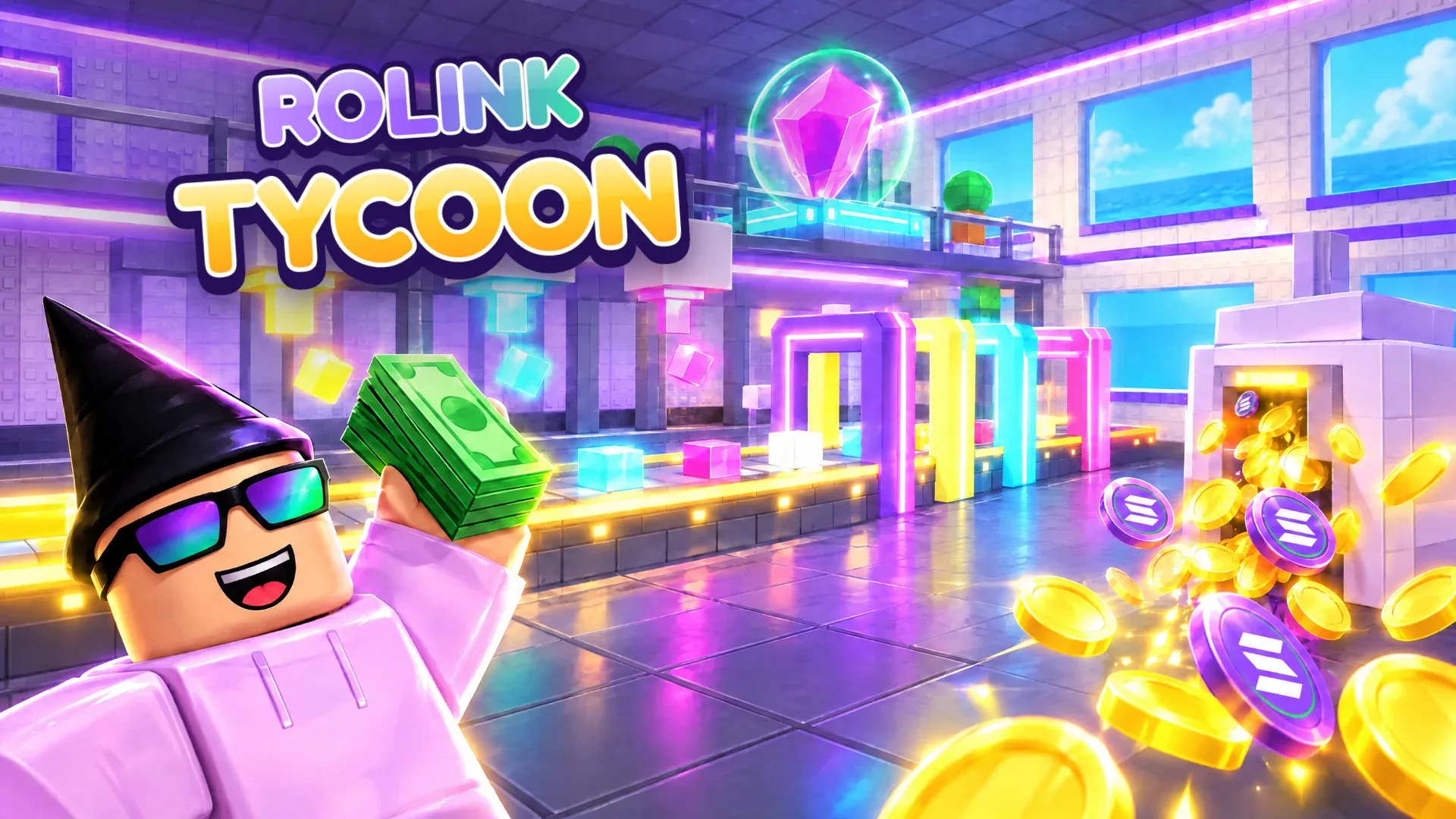


 27 upgradesDroppers, belts and a two-storey base that goes up piece by piece.
 0.013 SOL an hourThe SOL Mine pays players at a finished base, every 15 minutes of play.
 Never paid twiceEvery payout has its own idempotency key, inside a daily budget.
 Linking page
A linking page for every game. Players sign one free message, get a code and type it in your game. The game never sees their keys.
Hosted at api.rolink.tech/link/your-game. There's no Roblox app to set up, and nothing is sent on-chain.
Pick a wallet and sign a free message
Phantom, Solflare, Backpack or any Wallet Standard wallet. Signing proves the wallet is theirs and can't move funds.
Get a code
The page shows a code like
K7Q2-XM9F. It works once, for 15 minutes.Type it in the game
Your server already knows the player, so
ClaimLinkCodelinks the wallet to them. Every live server getsWalletLinked.
 Wallet linking by Rolink
 Luau SDK
A few lines of Luau. Pass your key from Roblox Secrets and call it from any server script.
- Server-only:
Rolink.newrefuses to run on the client. - Every call raises a coded error you can branch on with
Rolink.errorCode. - Amounts are decimal strings, so large token amounts stay exact.
- Wallet lookups are cached and refreshed by live events.

local HttpService = game:GetService("HttpService")
local Players = game:GetService("Players")
local ReplicatedStorage = game:GetService("ReplicatedStorage")
local Rolink = require(game:GetService("ServerScriptService").Rolink)

-- The project key from the dashboard, stored as a Roblox Secret.
local rolink = Rolink.new({ apiKey = HttpService:GetSecret("rolink_api_key") })
local MY_MINT = "YourTokenMintAddress"

-- Players type the code from your linking page. Show its wallet, then link it.
ReplicatedStorage.LinkCode.OnServerInvoke = function(player, action, code)
	local ok, result = pcall(function()
		if action == "claim" then
			return rolink:ClaimLinkCode(player, code) -- fires WalletLinked
		end
		return rolink:LookupLinkCode(code) -- { address, expiresAt }
	end)
	return if ok then result else { error = Rolink.errorCode(result) }
end

Players.PlayerAdded:Connect(function(player)
	local address = rolink:GetWallet(player.UserId) -- nil until linked
	if address then
		print(rolink:GetTokenBalance(address, MY_MINT)) -- "12.5"
	end
end)-- `rolink` is the client from Rolink.new({ apiKey }). Live events need your
-- universe ID and an Open Cloud key in the dashboard.
-- Fires on every live server, seconds after a player links.
rolink.WalletLinked:Connect(function(userId, address, player)
if player then -- set only on the server the player is in
print(`{player.Name} linked {address}`)
end
end)
-- Also fires when another Roblox account claims the wallet.
rolink.WalletUnlinked:Connect(function(userId, address, player)
print(`{userId} unlinked {address}`)
end)
rolink.TransactionUpdated:Connect(function(update)
print(update.idempotencyKey, update.status, update.signature or update.error)
end)
-- New transactions on the addresses your project watches.
rolink.ChainActivity:Connect(function(activity)
print(`new transaction on "{activity.name}": {activity.signature}`)
end)-- Sent from your project's managed wallet. Allow the mint in the dashboard first.
local function claimDaily(player: Player)
local ok, result = pcall(rolink.TransferToken, rolink, {
to = player.UserId,
mint = MY_MINT,
amount = "1",
-- One payment per player per UTC day, even if this runs twice.
idempotencyKey = `daily:{player.UserId}:{os.date("!%Y-%m-%d")}`,
})
if not ok then
local code = Rolink.errorCode(result)
if code == "wallet_not_linked" then
-- ask the player to link a wallet first
elseif code == "player_rate_limited" or code == "hourly_budget_exceeded" then
-- your project's limits stopped it, try again later
end
return
end
print(result.status, result.signature) -- "confirmed" | "submitted" | "failed"
end# In the Rolink dashboard
01 Sign in with a Solana wallet free signature, no funds
02 Create a project devnet or mainnet
03 Create an API key rlk_live_…, shown once
04 Store it as a Roblox Secret rolink_api_key
05 Create and fund the wallet SOL for fees, plus your tokens
06 Set transaction limits SOL cap, mints, hourly limits
07 Optional: live events universe ID + Open Cloud key
# Players get a code at api.rolink.tech/link/<your-game>
# and type it in your game. No Roblox app to set up. Architecture
Why there's an API in the middle. Roblox can't do this part safely, so the hosted API does it for you.
Events return to every live server through Open Cloud
 01
01Roblox can't open a wallet
A game can't talk to Phantom or any other wallet, so players link from a page we host for your game instead.
 02
02Servers can't keep a key safe
Your project wallet lives in Turnkey. Rolink checks your limits before it ever asks Turnkey to sign.
 03
03One key, nothing else to sign up for
Your servers send one project key. We run the RPC connections, cache reads and apply quotas.
 Security
Careful with money by default. Transactions stay off until you allow SOL or a token, then only move inside your limits.
Read the security model

Keys stay in Turnkey
Your project wallet signs inside Turnkey's secure enclaves. We only store its ID and address, and players' keys never leave their wallet.
Turnkey
Projects stay apart
Every request is scoped to the project its key belongs to. Keys are stored as SHA-256 hashes, shown once and revocable.
x-api-keyNever paid twice
Reusing a key returns the original result instead of sending again. A failed one can be retried safely.
idempotencyKey
Honest expiry
A transaction is only reported expired once the finalized chain is past its blockhash and no up-to-date node knows it.
lastValidBlockHeight
Limits you set
Only mints you allow can move, with a per-transaction cap, hourly limits per wallet and per player, and optional budgets.
hourly_budget_exceeded
Secrets encrypted
Open Cloud keys are encrypted at rest and only decrypted to publish your project's events.
AES-256-GCM
 Pricing
0.1 SOL, once. Pay it from the wallet you sign in with and every project on your account gets the full API, for good. Players never pay anything.

0.1 SOLpaid once per account
- Hosted linking page for each game
- On-chain reads, cached
- Live events through Open Cloud
- Managed wallet and transactions
- Dashboard with keys, limits and usage
| Quota | Limit | Scope |
|---|---|---|
| Requests | 100,000 | per project, per UTC day |
| Burst | 600 | requests per minute, per project |
| Transactions | 1,000 | per project, rolling 24 hours |
| Projects | 5 | per developer |
What you pay yourself
Solana network fees and the SOL or tokens you send come from your project's managed wallet, which you fund from any wallet.
Limits reference

Plug your game into Solana. Sign in with a Solana wallet, create a project and drop the Luau module into your game.